Blocks
Write a piece once, like a signature or a disclaimer, and reuse it inside as many snippets as you like.
A Block is a reusable piece of content that you put inside snippets. Write your company address, a legal disclaimer, or your signature once as a Block, and use it in as many snippets as you like. Update the Block, and every snippet that uses it updates too.
Blocks vs. snippets
| Snippet | Block | |
|---|---|---|
| Has a shortcut | Yes | No |
| Inserted on its own | Yes | No, only inside snippets |
| Shows in menus, Quick Access, suggestions | Yes | No |
| Can contain Fields and Smart Fields | Yes | Yes |
| Can contain Blocks | Yes | No |
If you’d ever type it on its own, make it a snippet. If it’s a part shared by several snippets, make it a Block.
Create a Block
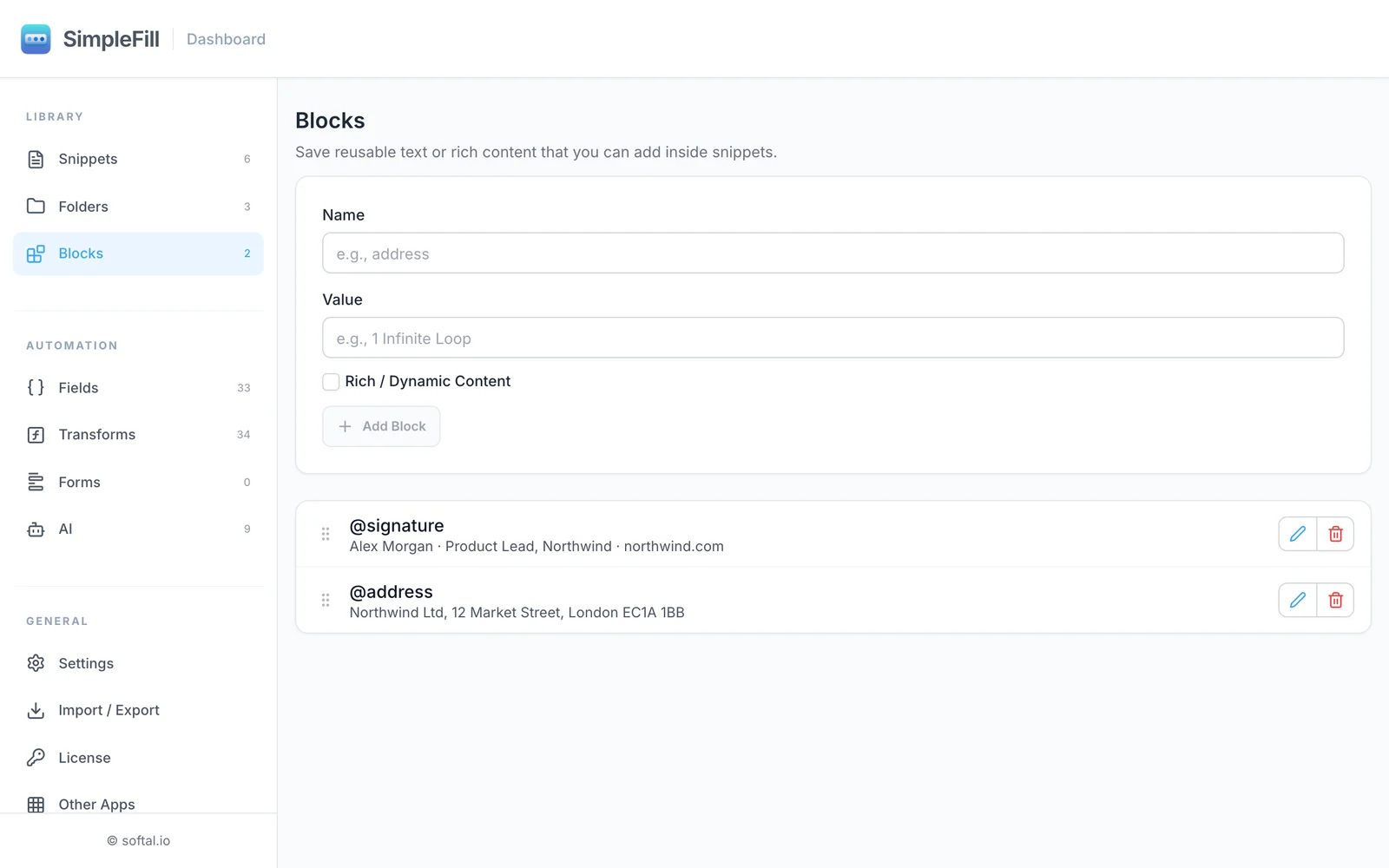
- Go to Blocks.
- Give it a Name, like
address. Names are lowercase with hyphens;Home Addressbecomeshome-address. - Type its Value. Turn on Rich / Dynamic Content for formatting and Fields.
- Click Add Block.
Use a Block in a snippet
- In a rich snippet: type
@and choose the Block from the list. It appears as a pill. - In a plain snippet: type
@followed by its name, like@address. A rich Block goes into a plain snippet as plain text.
Please send the signed contract to:
@address
Change it once, everywhere
- Editing a Block’s value changes every snippet that uses it the next time you insert one.
- Renaming a Block updates every
@reference to it automatically. - Deleting a Block that’s in use isn’t allowed. SimpleFill tells you which snippets use it, so you can remove those references first.
Examples
A signature used everywhere. A rich Block signature with your name, title, logo, and links. Every reply, follow-up, and introduction ends with @signature. When you change jobs, you edit one Block.
A shipping line with a Field. A Block ship-to with Ship to {{city}}. Every snippet that uses it asks for the city.
A disclaimer. A Block legal with the small print your company requires at the bottom of quotes and proposals.
Limits
The Free plan includes 5 Blocks, Standard 50, and Pro unlimited.