Comparisons8 min read
SimpleFill vs TypeIt4Me: a TypeIt4Me alternative with AI and form filling
TypeIt4Me is a simple, affordable Mac text expander. SimpleFill lives in your browser on any computer and adds designed templates, context-aware fields, one-click form filling, and AI with memory. Here's how they compare.
By Ram Patra
TypeIt4Me calls itself the original Mac text expander, and it has earned the title. It's simple, it expands in every app on your Mac, and it costs $12.99 once on the Mac App Store. Version 7 came out in 2025, and its latest update arrived in May 2026.
SimpleFill comes at the same job from the browser, where most of us now write our email, tickets, and messages. It has a rich editor for designed templates, fields that read names and handles from LinkedIn, X, and HubSpot, one-click form filling, and AI actions that remember who you are. It works in Chrome, Edge, Firefox, and Safari, on a Mac, a Windows PC, or Linux. Here's how the two compare.
The short answer
- Pick SimpleFill if you write mostly in the browser, want templates that look designed, want snippets that fill in names and handles on LinkedIn, X, or HubSpot by themselves, want to fill whole forms in one click, want AI where you write, or use more than one kind of computer.
- TypeIt4Me may suit you better if you only use a Mac, need snippets in every app on it, and want the simplest, cheapest tool for typing less.
At a glance
| SimpleFill | TypeIt4Me | |
|---|---|---|
| Price | $29 or $59, once | $12.99, once |
| Try before you buy | Free plan with every feature | No trial |
| Account required | No | No |
| Snippets stored | In your browser | On your Mac |
| Works on | Mac, Windows, Linux | Mac |
| Browsers | Chrome, Edge, Firefox, Safari | All, on a Mac |
| Desktop apps | Coming soon | |
| Formatted text and images | ||
| Cards, layout tables, and image settings | ||
| Reusable pieces inside snippets | ||
| Fill-in fields and dropdowns | ||
| Date math | ||
| Calculations and If / Else | ||
| Context-aware fields (LinkedIn, X, HubSpot) | ||
| Tab and Return in snippets | ||
| Clicks in snippets | ||
| Save a form, fill it in one click | ||
| AI writing actions | ||
| Your own AI key or a local model | ||
| AI memory | ||
| Search snippets from a shortcut | ||
| Autocorrect and bundled sets |
A Mac app vs a browser extension
TypeIt4Me is a Mac app. It watches what you type everywhere, so a snippet works the same in Mail, Pages, or a terminal. It's Mac only: there's no Windows version, and TypeIt4Me Touch, its iPhone and iPad app, is a separate notepad app that doesn't expand everywhere.
SimpleFill is a browser extension. It works in any text box on any website, in Chrome, Edge, Firefox, and Safari, and because it lives in the browser, it works on whatever computer that browser runs on: a Mac at home, a Windows laptop at work, or a Chromebook. Native apps for Mac, Windows, iOS, and Android are coming.
Working inside the page matters in browser apps. TypeIt4Me's own FAQ explains that browsers limit what a Mac app can do with the clipboard and keystrokes, so snippets can behave unpredictably in editors like Google Docs. SimpleFill inserts straight into the page. Being in the page is also what lets it read a LinkedIn profile, fill a whole form, or answer the email above your reply.
Templates that look designed
TypeIt4Me snippets can hold formatted text, links, tables, emoji, and pictures, even animated GIFs. Its editor has a formatting menu for bold, italics, underline, alignment, and links.
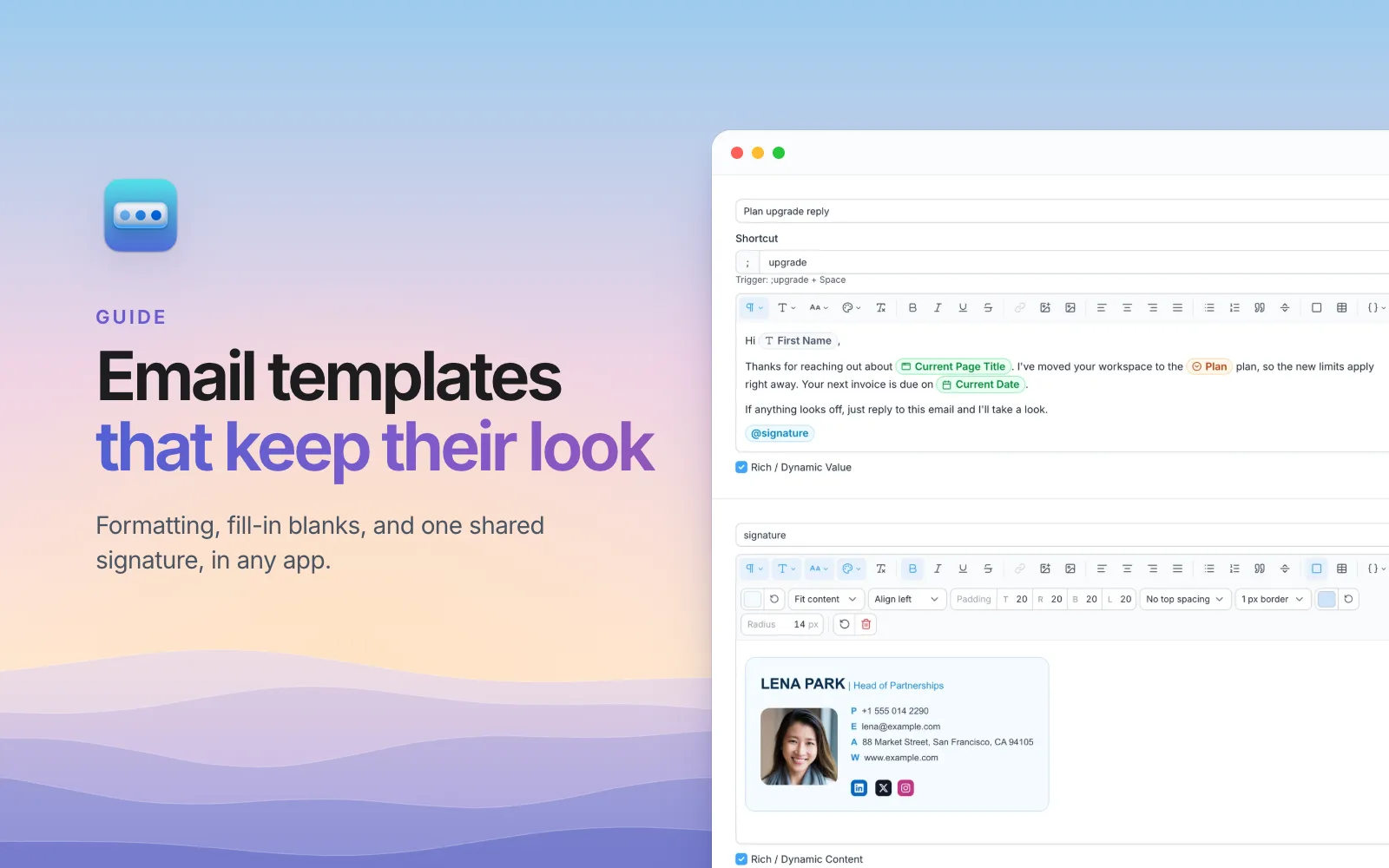
SimpleFill's rich text editor is built for templates that have to look good when they land:
- Cards: boxes with their own background, padding, border, and rounded corners.
- Layout tables: borderless tables that line things up side by side in email, like a logo beside your contact details.
- Uploaded images, resized and compressed for you, with size, alignment, border, corner, and link settings.
- Fonts, sizes, colors, headings, highlights, quotes, and code blocks.
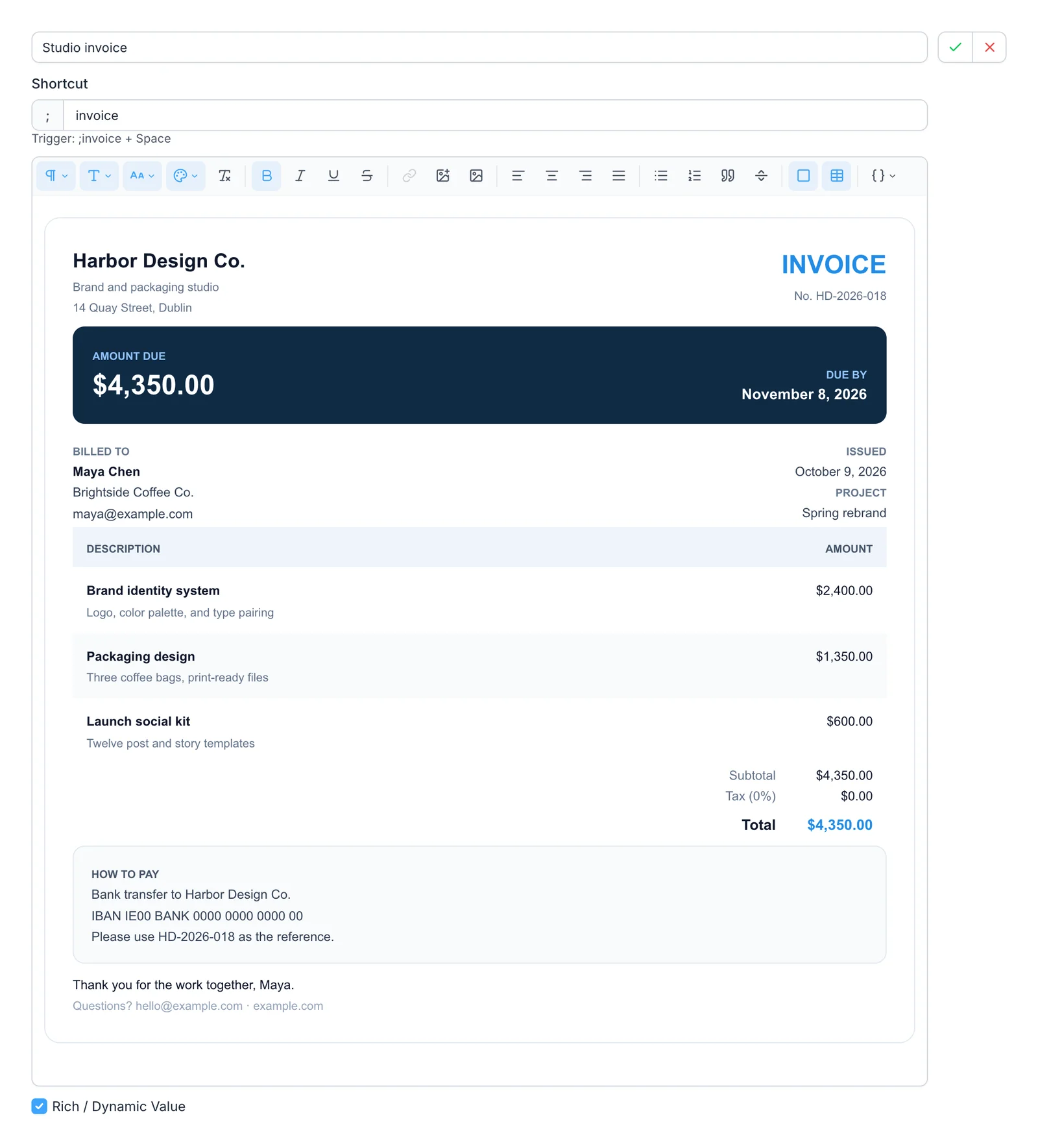
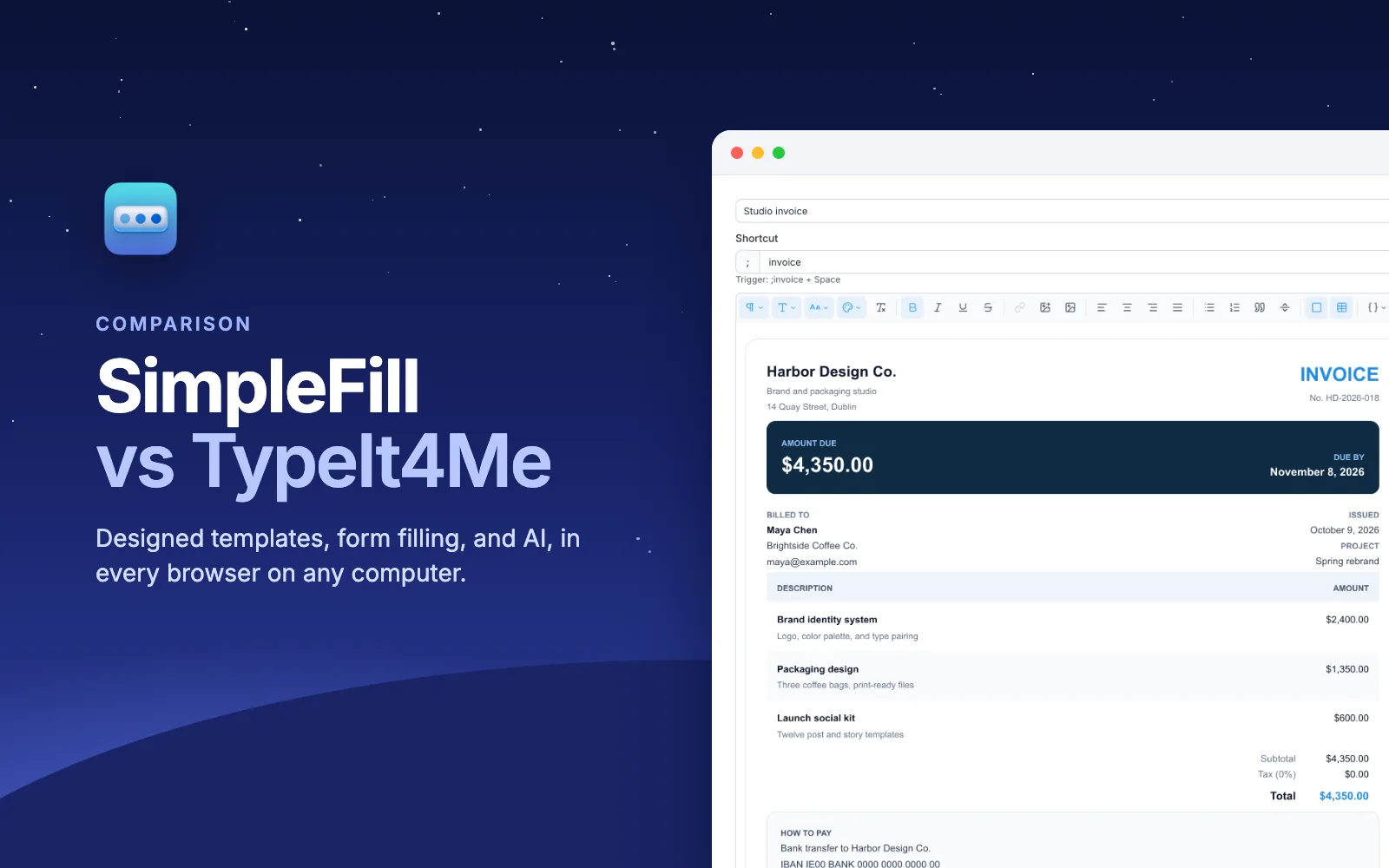
That invoice was made in the editor with no HTML, and it keeps its formatting in Gmail, Outlook, Notion, and Google Docs. The marketplace has more like it: signatures, invoices, résumés, and replies you can add in one click and make your own.
Fields and reusable pieces
TypeIt4Me covers the classics well. Placeholders ("autocues") pause and ask for a value, fill-in templates can have text fields and pulldown menus that stay in sync, and dates come in any format, with date math for "two weeks from today". One snippet can expand another, from any set.
SimpleFill has the same kinds of Fields, plus a few things TypeIt4Me doesn't:
- Calculations: add, subtract, multiply, and divide fields, so hours times rate gives a subtotal.
- If / Else: show different text depending on what you pick or type.
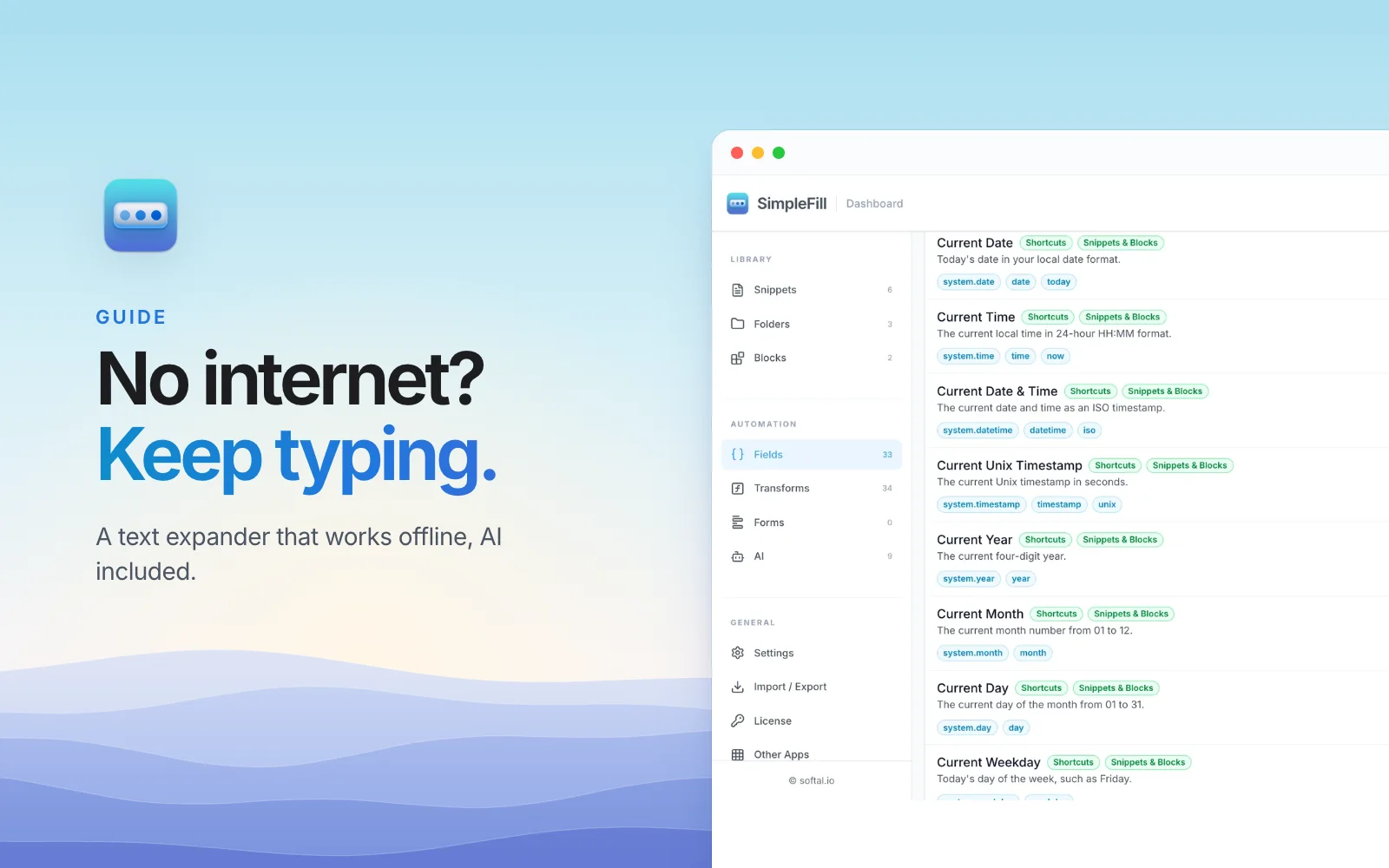
- Transforms: 34 ways to reshape a value as it goes in,
like
titleCase,slugify,truncate(80), andaddBusinessDays(3). - Smart Fields: today's date, the page's title or link, your clipboard, and more, on any site.
- Blocks: reusable pieces, like your signature, that you
add with
@and that show as a pill. Rename one and every snippet updates.
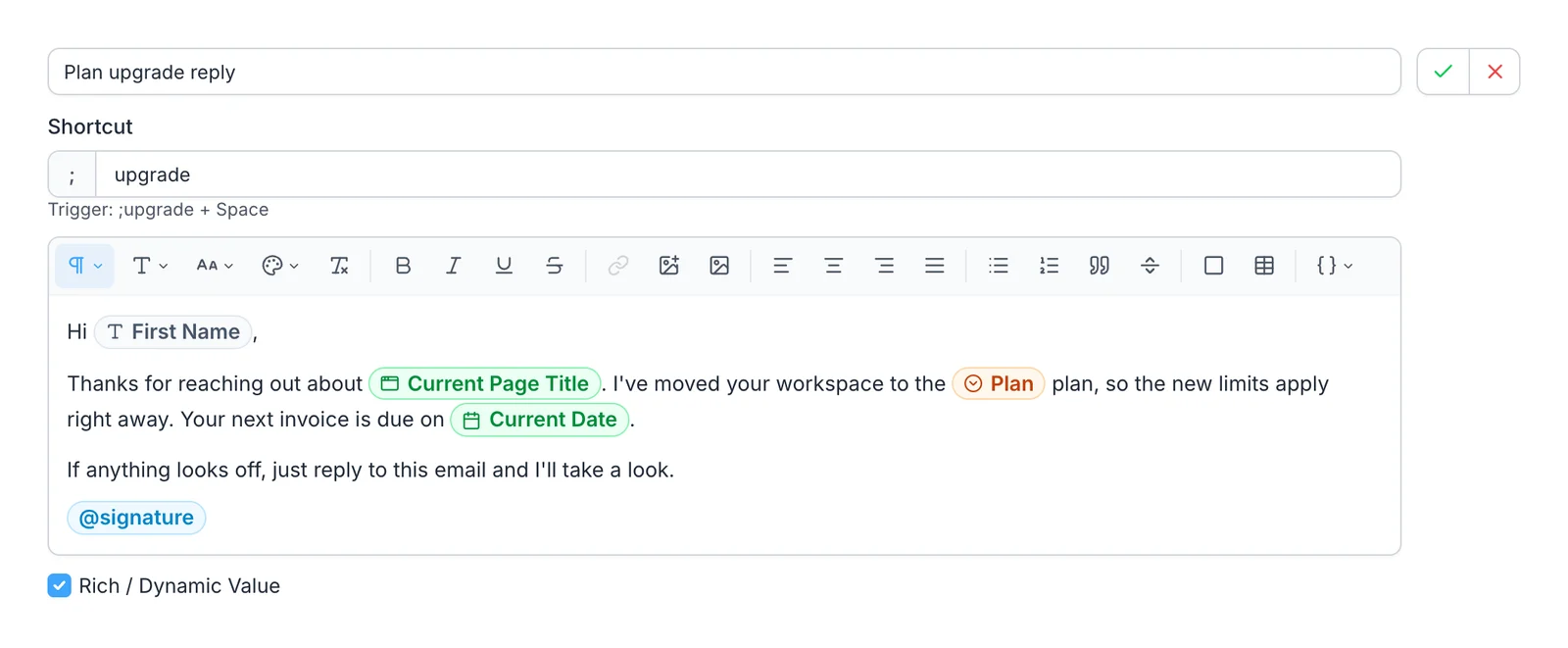
Context-aware fields for LinkedIn, X, HubSpot, and more
Most messages start with a name, and the name is usually on the page you're looking at. TypeIt4Me can't read the page, so you copy the name first or type it.
SimpleFill's Smart Field add-ons know which site you're on and
fill in the right detail from it. Open someone's LinkedIn profile, type your
snippet, and Hi {{li.firstname}} comes out as "Hi Priya". On X it knows the
handle, in HubSpot the contact and their company, and on GitHub the pull
request you're reviewing.
| Site | What SimpleFill fills in |
|---|---|
| Name, first name, headline, company, job title, profile link | |
| X | Name, first name, handle, profile link |
| HubSpot | Contact name, first name, email, company, deal and ticket links |
| GitHub | Repository, branch, pull request and issue titles and links, commit |
| Jira | Issue key, summary, link, and project |
| Google Docs | Document title, link, and ID |
You add one from the marketplace in a click, on any plan, and we keep it working when a site changes. An add-on reads the page only at the moment you use one of its fields, and nothing is sent anywhere.
Filling forms
TypeIt4Me snippets can include Tab and Return, so one snippet can type your name, jump to the next field, and type your email.
SimpleFill handles both kinds of form:
- One-click form fill. Right-click a page and choose Save Form. SimpleFill scans every field, you set your values once, and one click fills it every time after: text boxes, dropdowns, radio buttons, checkboxes, multi-select lists, and dates, even calendar pickers that sites draw themselves.
- Snippets with key presses and clicks. Type, press Tab, click a dropdown option, pick a date, tick a checkbox, and press Submit, all from one shortcut.
AI that works on your text, and remembers you
TypeIt4Me has no AI features.
SimpleFill's AI actions work on the text you're writing.
Ten come built in, including Fix Grammar, Rewrite, Make Professional,
Translate, Summarize, and Generate Reply, and you can write your own. Type
;fix at the end of a message, or run an action from the right-click menu or
Quick Access.
- Memory. Save a few notes about yourself, like your name and role or how you sign off, and actions use them, so replies sound like you without repeating yourself each time.
- Context. Actions see the text around your text box, so Generate Reply answers the message above it.
- Your AI. Use your own OpenAI or Anthropic key, any OpenAI-compatible service, or a model on your own computer with Ollama or LM Studio, where nothing leaves your machine.
SimpleFill AI, an optional add-on with credits included and no key to set up, is coming soon.
Privacy
Both are private by design. TypeIt4Me keeps your snippets on your Mac, syncs them between Macs through iCloud Drive if you like, and its App Store listing says it collects no data.
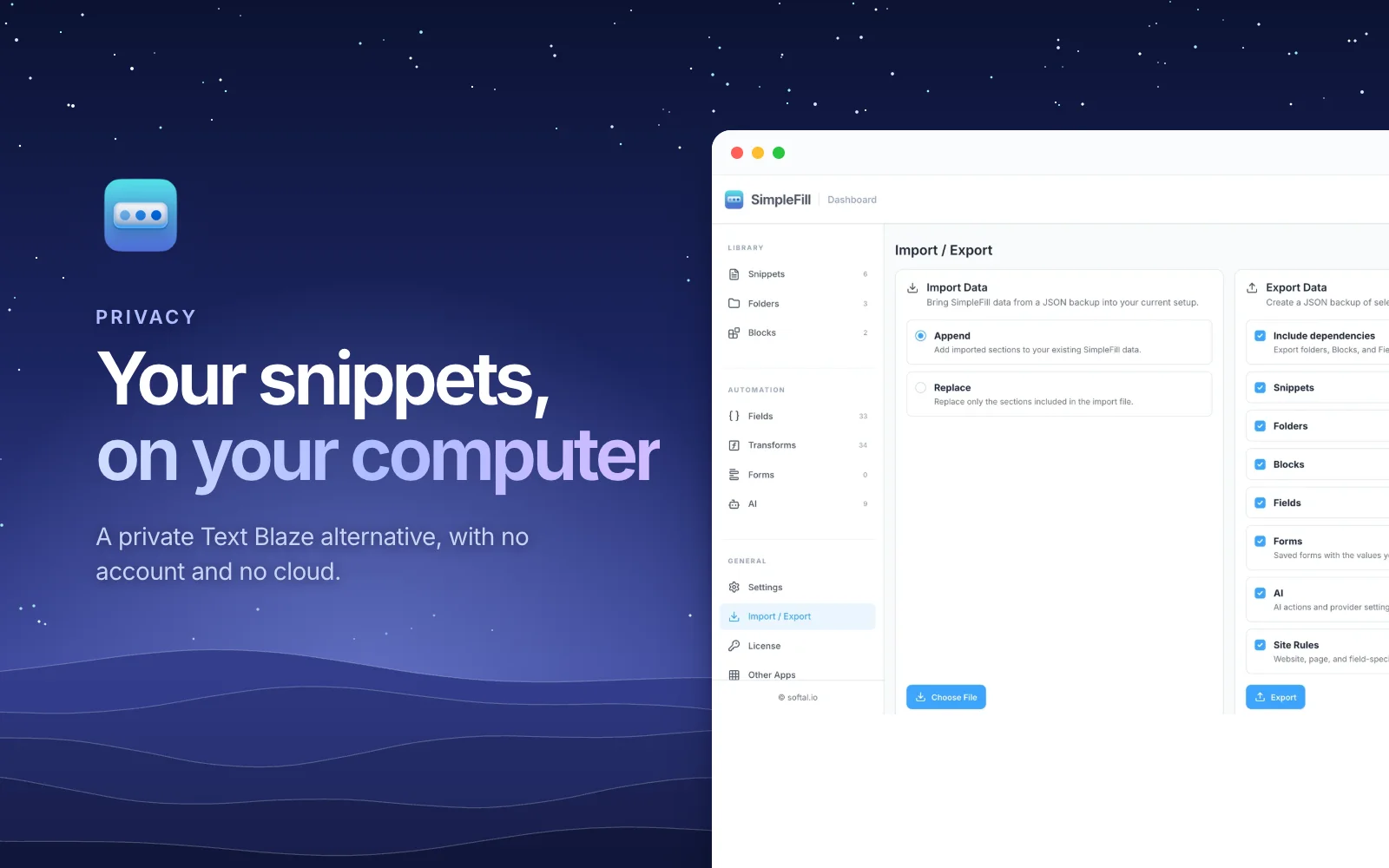
SimpleFill has no account. Your snippets, Blocks, Fields, saved forms, AI actions, and Memory stay in your browser's storage on your computer, and SimpleFill sends nothing in the background. AI requests go straight to the provider you chose. The privacy page lists every moment anything leaves your computer. To move your library, you export a file.
Price
TypeIt4Me 7 is $12.99 once, only on the Mac App Store, and it works with Family Sharing. There's no free trial, so Apple's refund process is the way back if it doesn't suit you.
SimpleFill is a one-time purchase too, with every feature on every plan and updates for life:
| SimpleFill Free | SimpleFill Standard | SimpleFill Pro | |
|---|---|---|---|
| Price | $0 | $29, once | $59, once |
| Snippets, Blocks, Fields, saved forms | 5 each | 50 each | Unlimited |
| Every feature |
TypeIt4Me costs less. What SimpleFill's price adds is the editor, context-aware fields, form filling, AI with memory, and every browser on any computer, and the Free plan lets you try all of it before you pay. One license works in up to three browsers, and SimpleFill for Safari is a separate one-time purchase on the Mac App Store.
When TypeIt4Me is the better choice
- Every app on your Mac. If your snippets need to work in Word, Slack's app, or your code editor, TypeIt4Me does that today. SimpleFill's desktop apps are coming.
- The lowest price. If you want plain and formatted snippets with fill-ins, and nothing more, $12.99 is hard to beat.
- Autocorrect and ready-made sets. TypeIt4Me fixes typos with the macOS spell checker or your own list, and comes with sets for accented words, emoji, symbols, and HTML.
Try SimpleFill
Install SimpleFill for Chrome,
Edge,
Firefox, or
Safari. The Free plan has every
feature, so rebuild your five most used snippets, save a form you fill every
week, and try ;fix on your next email. The
getting started guide covers the rest.
Comparing other tools too? See how SimpleFill compares with TextExpander, Text Blaze, Magical, and Typinator.
TypeIt4Me details were checked against Ettore Software's website, FAQ, and Mac App Store listing in November 2026. Products change, so if something here is out of date, let us know.