Guides6 min read
How to use ChatGPT or Claude in any text box, with your own API key
Stop copying text into a chat app and pasting it back. Here's how to fix, rewrite, translate, and reply right where you're typing, with your own OpenAI or Anthropic key, or a free model on your own computer.
By Ram Patra
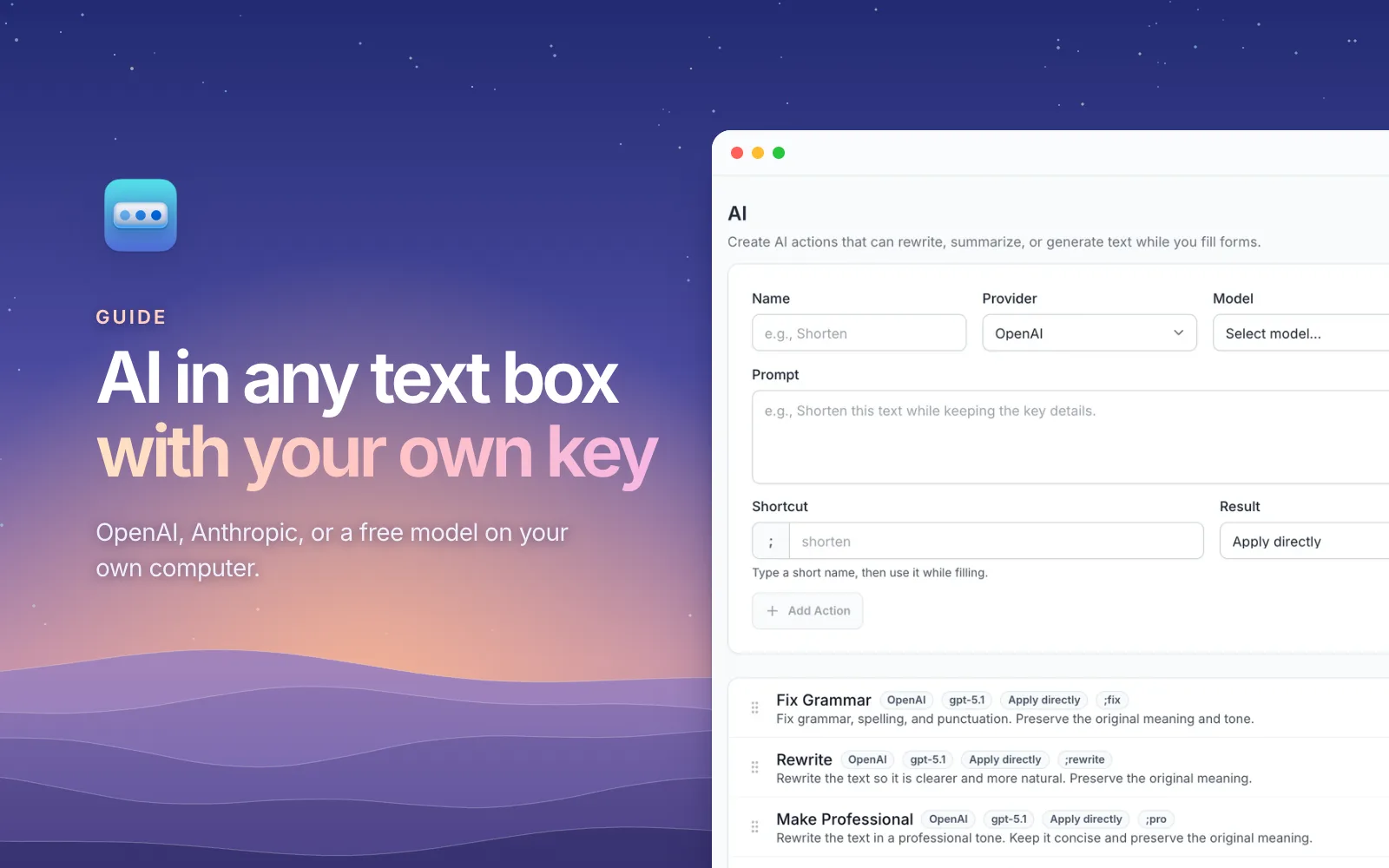
You've written a reply, and it's a bit blunt. So you select it, copy it, switch to ChatGPT, type make this more polite, paste, wait, copy the answer, switch back, select your draft, and paste over it. Then you fix the formatting the paste lost. That's ten steps for one sentence, and you'll do it again in ten minutes.
What you actually want is for the AI to come to the text box. This guide shows how to do exactly that in any website, using a model you choose and pay for directly, or one that runs on your own computer for free.
What "AI in any text box" looks like
SimpleFill is a browser extension for Chrome, Edge, Firefox, and Safari
with ten built-in AI actions. Type your message, add ;fix at the end, and press
Space. A moment later, the text is fixed in place, in Gmail, LinkedIn, Notion,
Slack, a support ticket, or any form.
You can also run an action from the right-click menu, under SimpleFill >
AI, or from Quick Access with ⌘ Shift Space (Ctrl Shift Space on
Windows). Select part of the text, and only that part changes.
| Action | Shortcut | Good for |
|---|---|---|
| Fix Grammar | ;fix | Typos, grammar, and punctuation, without changing your voice |
| Rewrite | ;rewrite | Making a clumsy paragraph read naturally |
| Make Professional | ;pro | Turning a quick note into something you can send a client |
| Make Casual | ;casual | Softening a message that sounds too stiff |
| Summarize | ;summary | Boiling a long thread down to the key points |
| Bullet Points | ;bullets | Turning a wall of text into a list |
| Translate | ;translate | Writing to someone in their own language |
| Generate Reply | ;reply | Answering the message above an empty reply box |
| Extract Action Items | ;todos | Pulling the to-dos, owners, and dates out of meeting notes |
| Ask AI | ;ask | Anything else: you type what you want each time |
Bigger changes, like a summary or a reply, open in a window first, showing your text and the result side by side. Not quite right? Type shorter or more formal under the result and click Refine. When it's right, click Insert.
Why use your own API key?
Most AI writing extensions sell you a monthly subscription that resells someone else's model. SimpleFill does it the other way around: you connect your own account with OpenAI or Anthropic and pay them directly for what you use.
- You pay for what you use. Fixing an email with a small, fast model usually costs well under a cent. Light use can come to less per month than a single coffee.
- You choose the model. A quick one for grammar, a stronger one for replies, and you can switch whenever a better one comes out.
- No middleman. Requests go straight from your browser to the provider. They don't pass through SimpleFill's servers.
One thing to know: a ChatGPT Plus or Claude Pro subscription usually doesn't include API usage. The API is billed separately, on the provider's developer platform.
Set it up in two minutes
- Create an API key on OpenAI's or Anthropic's developer platform.
- In the SimpleFill dashboard, go to Settings > AI, click the pencil on OpenAI or Anthropic, and paste the key.
- Click Fetch Models, then go to the AI page and pick a model for your actions.
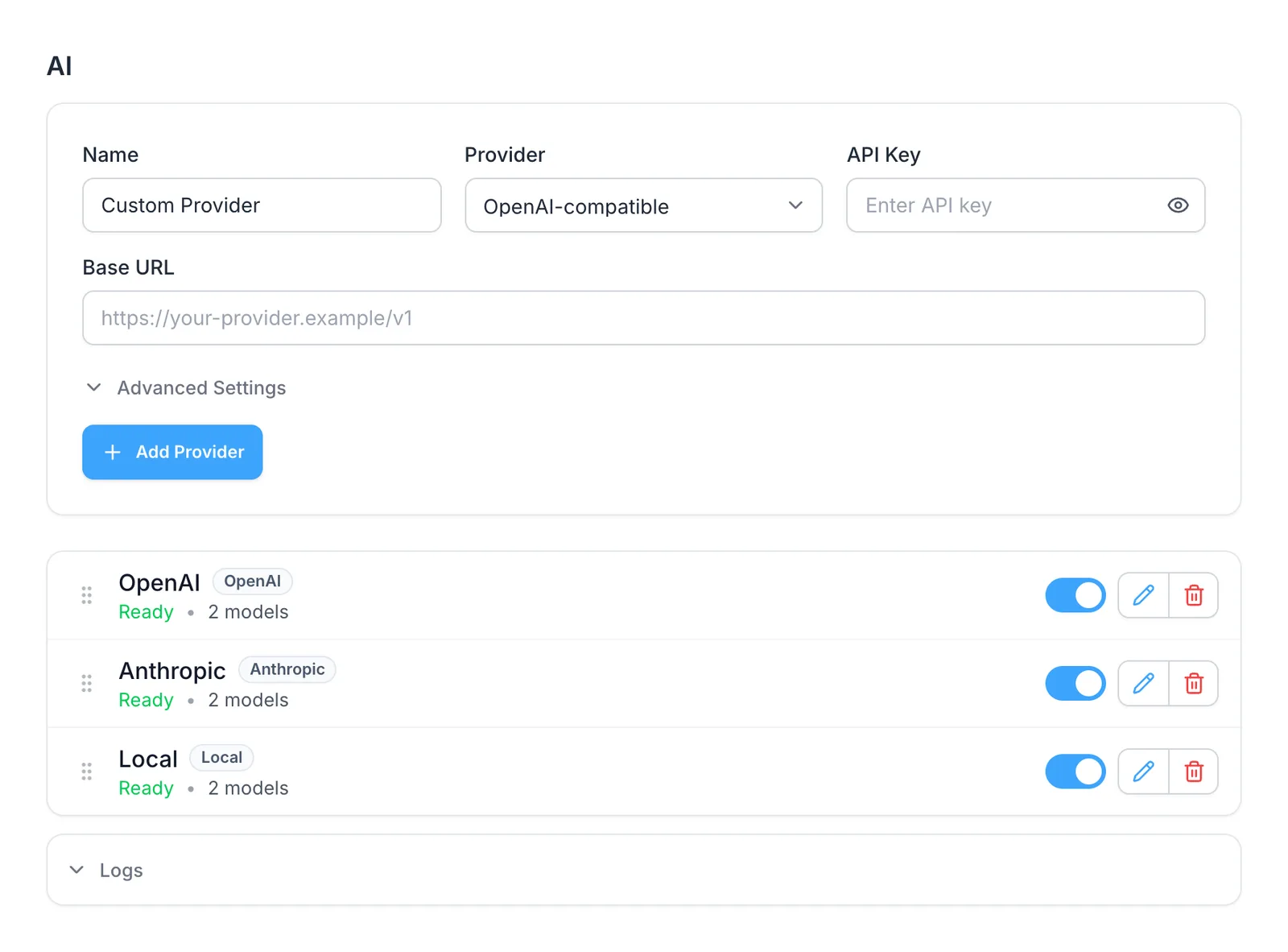
Any service that speaks OpenAI's API works too, through OpenAI-compatible under Add Provider.
Or run AI on your own computer, for free
If your text shouldn't leave your machine, or you'd rather not pay at all, run a model locally. Free apps like Ollama and LM Studio download open models and serve them on your computer.
| App | Base URL in SimpleFill | One-time setup |
|---|---|---|
| LM Studio | http://localhost:1234/v1 | Start the server in LM Studio's Developer tab |
| Ollama | http://localhost:11434/v1 | Allow browser extensions with OLLAMA_ORIGINS |
Point SimpleFill's Local provider at that address, click Fetch Models, and your actions run on your own hardware. No key, no bill, and nothing leaves your computer. The local models guide has the exact Ollama command.
A local model is slower than the big cloud ones and a little less polished, but for fixing grammar, translating, or tidying notes, a recent small model does a very good job.
AI that knows where you are
A chat app only knows what you paste into it. An action in SimpleFill also sees the page around your text box: its title, the text box's label, and the visible text just before it.
That's what makes Generate Reply useful. Open an email or a support ticket,
click in the empty reply box, and type ;reply. It reads the conversation
above and writes an answer, ready for you to edit.
Then there's Memory: a short list of notes about you that actions can use. Add I sign off emails with "Cheers, Alex", Our product is called SimpleFill, one word, and I write in British English, and replies follow them without being told each time.
Make your own actions
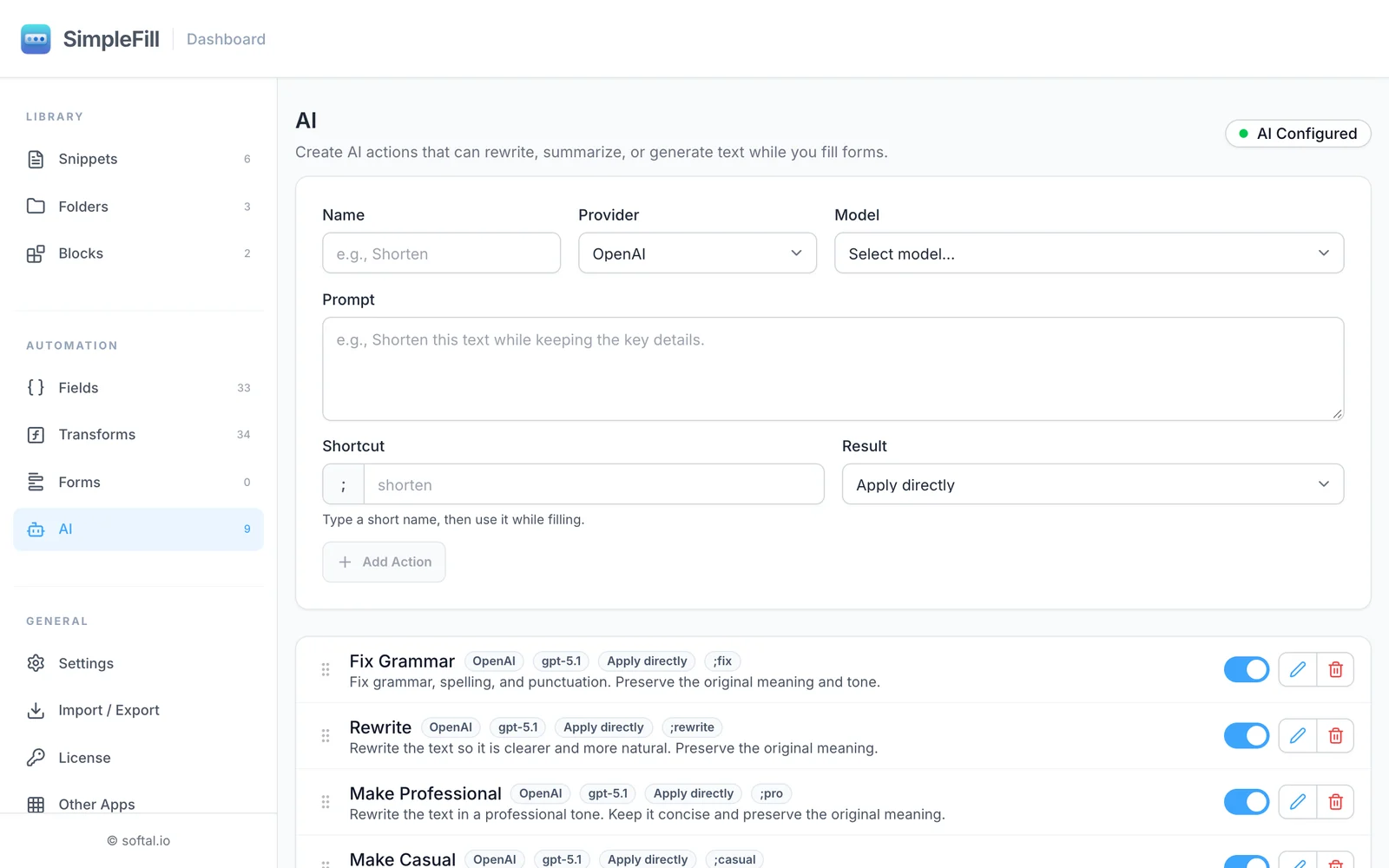
The ten built-in actions are a start. Add your own with a name, a prompt, and a shortcut:
| Action | Prompt |
|---|---|
| Polite no | Rewrite this as a warm, polite way of saying no. |
| Subject line | Write a short, clear email subject line for this message. Return only the subject. |
| Explain simply | Rewrite this so a 12-year-old could understand it. |
| LinkedIn post | Turn these notes into a friendly LinkedIn post with a hook in the first line. |
Each one can use a different model, so a quick model handles ;fix and a
stronger one handles ;reply.
What's sent, and where
With a cloud provider, an action sends your text, its prompt, the page details around the text box, and your Memory notes if the action uses them. It all goes straight from your browser to OpenAI or Anthropic, under your own account. With a local model, nothing leaves your computer at all. Your API keys stay in your browser and are never included when you export your data. The AI docs list exactly what's sent.
Prefer not to manage a key? SimpleFill AI, with credits included and nothing to set up, is coming soon.
Get started
Install SimpleFill for Chrome,
Edge,
Firefox, or
Safari, connect a provider, and try
;fix on the next message you write. The ten built-in actions are included on
the Free plan.
More guides: text shortcuts for Chrome, email templates that keep their formatting, and how to autofill forms in Chrome.